
Add Color to Signs
Two different ways, two different outcomes
You can add colors to signs in two different ways.
Option 1: Dyes and Glow Squid Ink
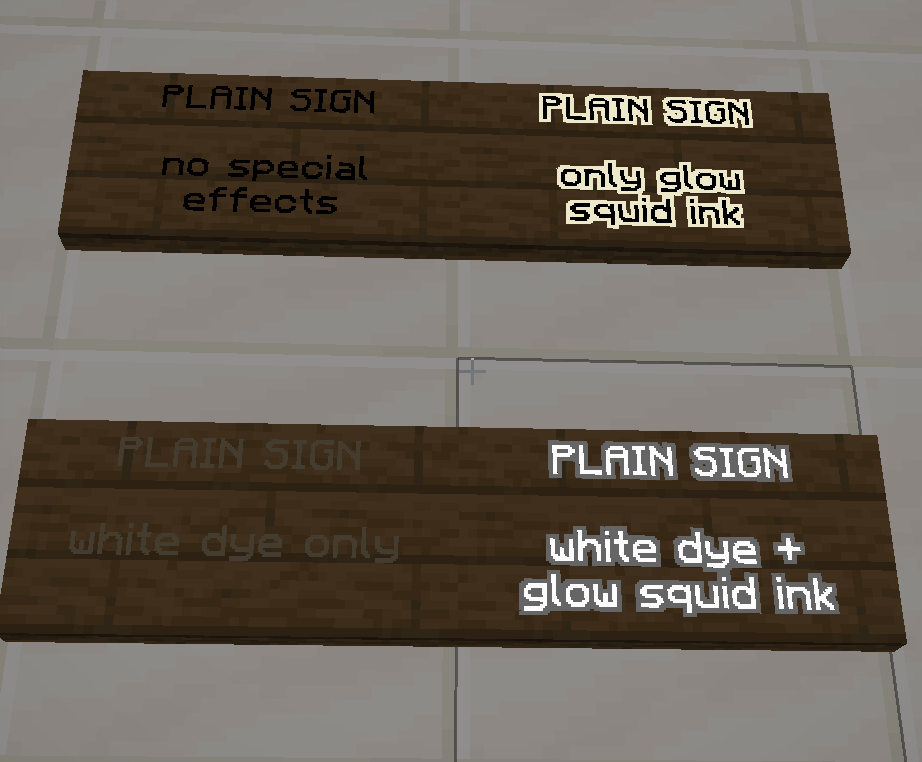
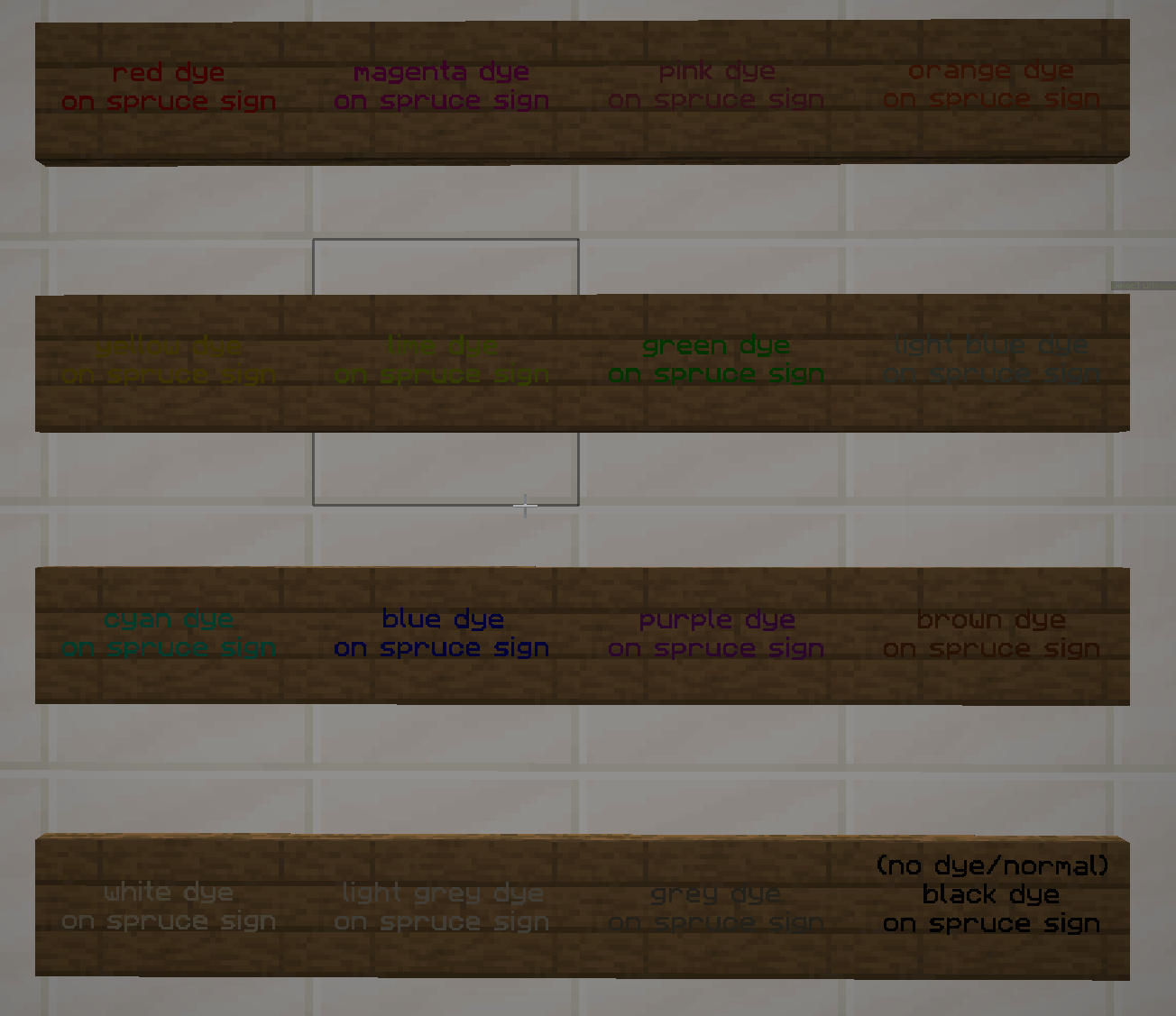
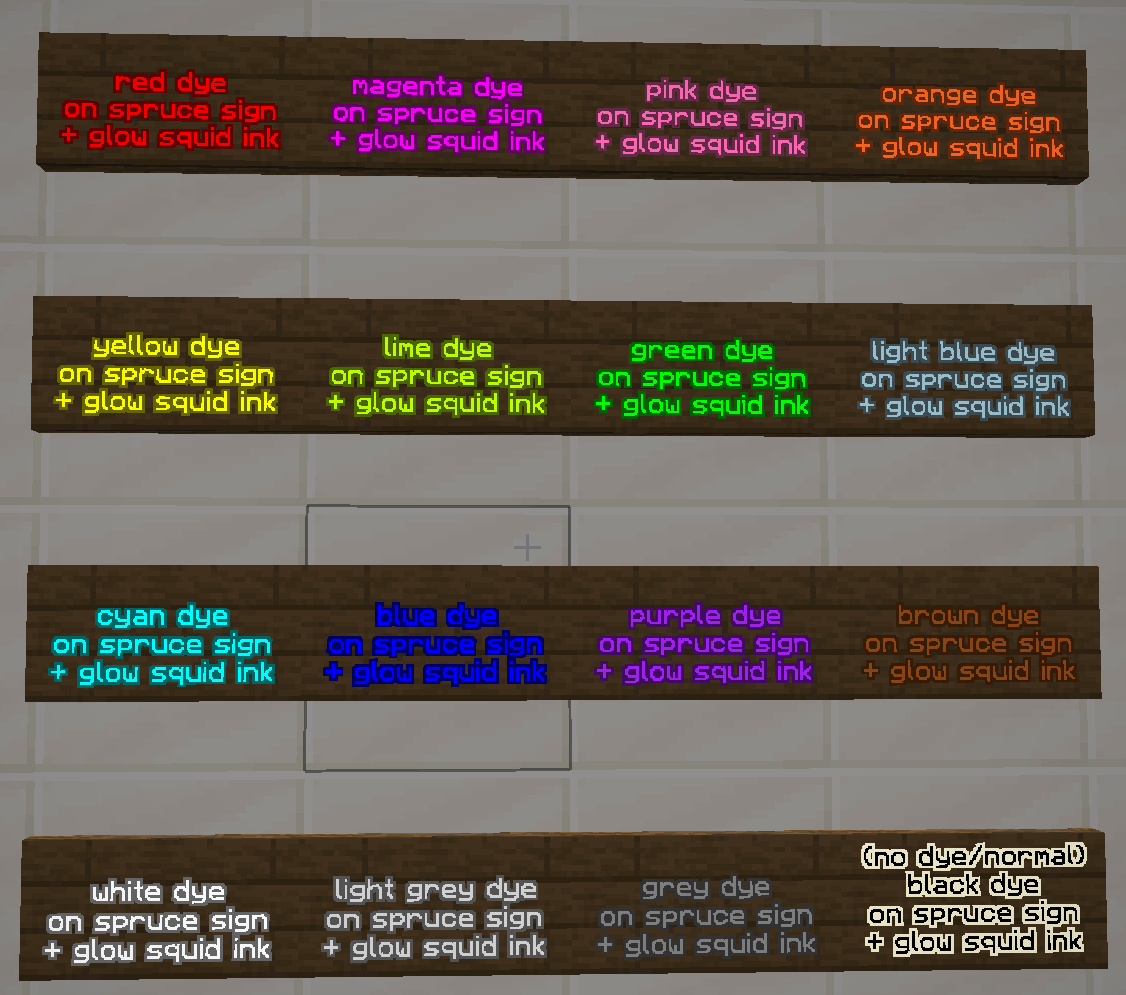
Click on a sign with a dye color of your choice.
Click on a sign with a glow squid ink to make the sign brighter.
The benefit of this option is that you can color sign shop signs, which cannot use the second option.
Option 2: Commands
The benefit of using commands is that you can add more than one color to a sign, and even could do more than one color on each line of a sign.
To use the command colors, do command space text (example: [&1 dark blue text] would show dark blue text that says dark blue text)
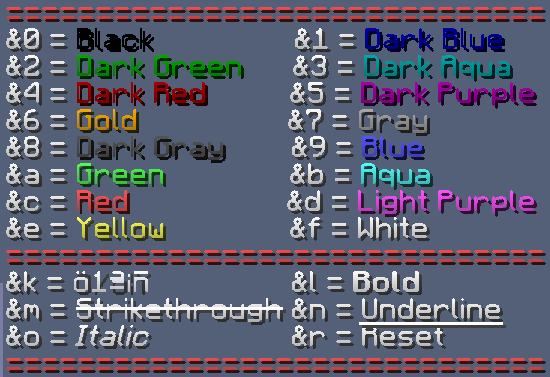
Any colors with * means that it only works on bedrock versions of Minecraft (and not our java version server).
| Color | Code |
|---|---|
| black | &0 |
| dark blue | &1 |
| dark green | &2 |
| dark aqua | &3 |
| dark red | &4 |
| dark purple | &5 |
| gold | &6 |
| grey | &7 |
| dark grey | &8 |
| blue | &9 |
| green | &a |
| aqua | &b |
| red | &c |
| light purple | &d |
| yellow | &e |
| white | &f |
| minecoin gold* (this also does not display on Playstation) | &g |
| quartz* | &h |
| iron* | &i |
| netherite* | &j |
| redstone* | &m |
| copper* | &n |
| gold* | &p |
| emerald* | &q |
| diamond* | &s |
| lapis* | &t |
| amethyst* | &u |
Formatting Commands
| Name | Code | Works in Bedrock? |
|---|---|---|
| bold | &l (L, but lowercase) | yes |
| strikethrough | &m | no |
| underline | &n | no |
| italic | &o | yes |
| reset | &r | yes |
| reset + add a color | &r&f (put the code of the color) | yes |