
🌎 About the Worlds
Importing…/rtp
There are many worlds in Mineseed
When you first join the server, you'll be in our /spawn.
Spawn has a lot of NPCs that you can talk to and learn more about the server.
We have 5 different worlds in which you can claim land to build:
We have 3 worlds that you cannot claim land, but can use to gather resources and materials:
RTP to a specific biome
With some ranks, you can specify specific biomes to go to in the survival world or in the resource world. To use this, ensure you have either warlock or dragon rank and do /rtp.
Doing /rtp will open this window:
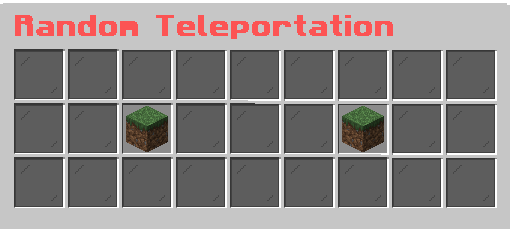
The left grass block will allow you to select a biome setting in the survival world:
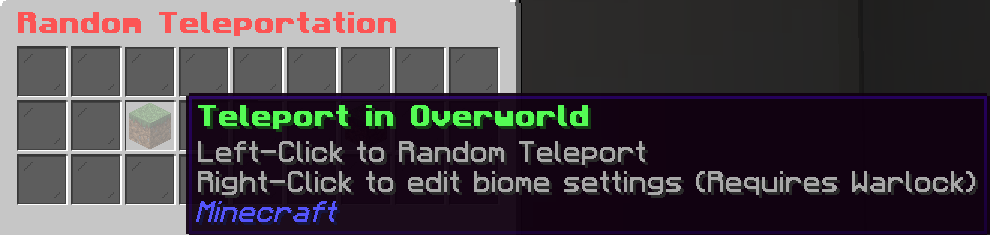
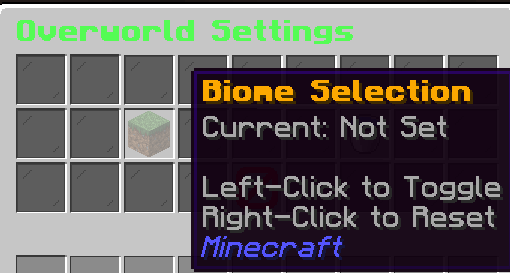
 Once you are in the selected /rtp menu, left click on the grass block and go through the menu to pick which biome you'd like to go to. You can clear a previously selected biome by right clicking on the block.
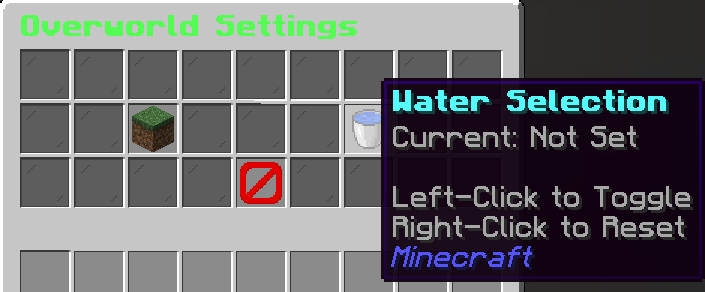
You can also decide whether you do or do not want to teleport into water. This is helpful if you're looking for a water biome, or a biome that may have a lot of water in it.
Once you have made your selection, click the red 🚫to go back and click the overworld grass block to teleport!
These same instructions can be followed with the right button in the main /rtp window to select a biome in the resource world (only with Dragon rank). If that biome does nto exist in the resource world, then it will say that it cannot teleport you.
If you're on bedrock or you prefer to type full commands, try
Pro tip: see how much time is left before the resource world resets in your scoreboard!
The resource world is the only world that will naturally spawn phantoms